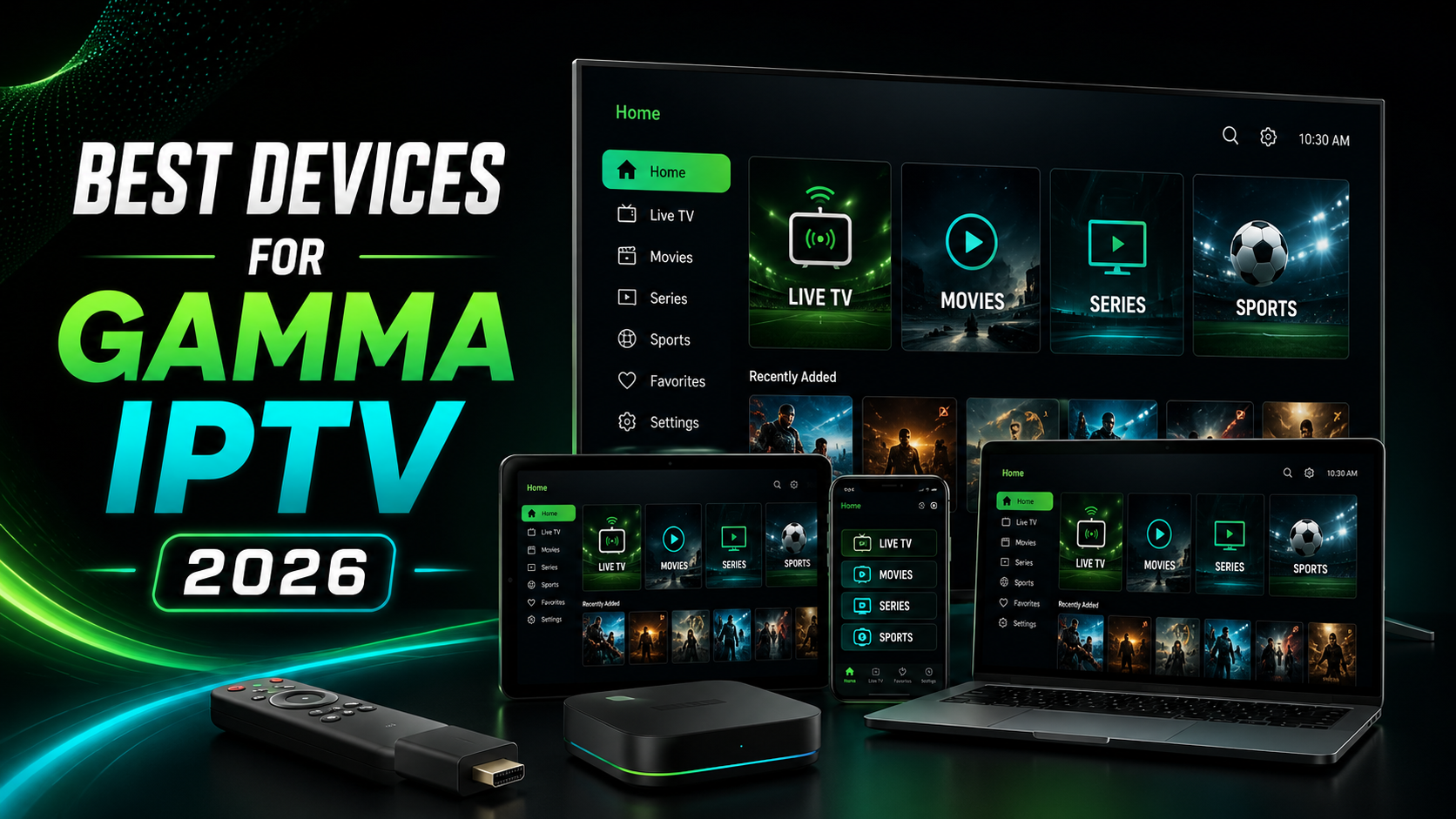
Choosing the right device can make your GAMMA IPTV experience much smoother. A good streaming device helps reduce buffering, loads IPTV apps faster, supports better video quality, and gives you a cleaner interface for live TV, movies, series, and sports.
In 2026, GAMMA IPTV can work on many devices, including Firestick, Smart TV, Android TV, Google TV, Android Box, Apple TV, smartphones, tablets, and computers. The best device for you depends on your budget, internet speed, TV type, and the IPTV player app you prefer.
If you are new to GAMMA IPTV, start with the full installation guide here:/installation-guide
Why the Right Device Matters for GAMMA IPTV
Your IPTV subscription is only one part of the experience. The device you use is just as important. If your device is slow, old, or has weak Wi-Fi, you may experience buffering, freezing, app crashes, or slow channel loading.
A good device for GAMMA IPTV should have fast performance, enough storage, stable Wi-Fi, app compatibility, and support for HD or 4K streaming.
If you are having buffering issues, you can also read this guide:/how-to-fix-gamma-iptv-buffering-problems
1. Amazon Firestick 4K Max
The Amazon Firestick 4K Max is one of the best devices to watch GAMMA IPTV in 2026. It is small, easy to install, and works on almost any TV with an HDMI port.
Firestick 4K Max is a strong choice for IPTV because it supports 4K streaming, has fast app performance, and works with many IPTV player apps. Amazon’s official page highlights Fire TV Stick 4K Max as a powerful streaming stick with Wi-Fi 6E support, Dolby Vision, and Dolby Atmos.
Official Firestick 4K Max link:https://www.amazon.com/all-new-amazon-fire-tv-stick-4k-max/dp/B0BP9SNVH9
GAMMA IPTV Firestick setup guide:/install-gamma-iptv-firestick-2026
This device is best for users who want a simple IPTV setup, fast navigation, and strong 4K support without buying a new TV.
2. Amazon Firestick 4K
The Amazon Firestick 4K is also a great option for GAMMA IPTV users. It is usually cheaper than the 4K Max version but still powerful enough for most IPTV users.
Amazon’s official Fire TV Stick 4K listing mentions Wi-Fi 6 support, 4K streaming, and AI-powered Fire TV search.
Official Firestick 4K link:https://www.amazon.com/Amazon-Fire-TV-Stick-4K-streaming-device/dp/B0CJM1GNFQ
This device is best for users who want a good balance between price and performance.
If you only want to watch HD and Full HD channels, the standard Firestick 4K is usually enough. If you want better performance, more storage, and stronger Wi-Fi, the Firestick 4K Max is the better choice.
3. Google TV Streamer 4K
The Google TV Streamer 4K is another excellent device for GAMMA IPTV in 2026. It is a strong choice for users who prefer Google TV, Android apps, and a clean modern interface.
Google’s official specifications page lists the Google TV Streamer as a 4K-capable streaming device.
Official Google TV Streamer link:https://store.google.com/product/google_tv_streamer
Google TV Streamer is a good choice because it supports many Android TV apps, works well with Google services, and gives users a smooth TV interface.
It is best for users who want a premium Android-style IPTV experience and prefer Google TV over Fire TV.
4. NVIDIA Shield TV Pro
The NVIDIA Shield TV Pro is one of the most powerful Android TV devices for IPTV streaming. It is more expensive than Firestick or Google TV Streamer, but it offers strong performance, fast navigation, and excellent 4K support.
NVIDIA’s official page says Shield TV Pro supports 4K HDR, Dolby Vision HDR, HDR10, and AI-enhanced upscaling up to 4K 60 FPS.
Official NVIDIA Shield TV Pro link:https://www.nvidia.com/en-us/shield/shield-tv-pro/
This device is best for users who want premium performance, smooth app loading, advanced Android TV features, and a powerful device for long-term use.
For GAMMA IPTV users who watch a lot of live TV, sports, movies, and 4K content, NVIDIA Shield TV Pro is one of the best high-end options.
5. Apple TV 4K
The Apple TV 4K is a premium device with excellent performance, clean design, and strong video quality. It is best for users who already use iPhone, iPad, Mac, or other Apple devices.
Apple’s official Apple TV 4K page highlights Dolby Vision, HDR10+, Dolby Atmos, and smart home features.
Official Apple TV 4K link:https://www.apple.com/apple-tv-4k/
Apple TV 4K can be a great device for streaming, but IPTV app availability may depend on your country and the apps available in the Apple App Store. Before choosing Apple TV 4K for GAMMA IPTV, make sure your preferred IPTV player is available.
This device is best for users who want premium quality, smooth performance, and an Apple ecosystem experience.
6. Samsung Smart TV
A Samsung Smart TV is a good option for GAMMA IPTV if you want to watch directly on your TV without an extra device.
Samsung Smart TVs use Smart Hub, where users can access and install apps depending on model and region. Samsung support explains that Smart Hub allows users to install and use different apps on Samsung Smart TVs.
Samsung Smart Hub help link:https://www.samsung.com/de/support/tv-audio-video/smart-tv-smart-hub/
GAMMA IPTV Smart TV setup guide:/install-gamma-iptv-smart-tv-2026
Samsung Smart TV is best for users who want a clean setup without Firestick or Android Box. However, app availability can be different depending on your country, TV model, and Samsung app store.
7. LG Smart TV
An LG Smart TV is another good device for GAMMA IPTV. LG TVs use webOS and LG Content Store to install apps.
LG’s official support explains that users can open LG Content Store, search for an app, and install it on supported LG Smart TVs.
Official LG app installation guide:https://www.lg.com/us/support/help-library/lg-tv-how-to-download-smart-apps--20153174119431
LG Smart TV is best for users who want IPTV directly on the TV. Apps like Smart IPTV, SET IPTV, IBO Player, or Flix IPTV may be available depending on your region.
For the full Smart TV setup guide, visit:/install-gamma-iptv-smart-tv-2026
8. Android TV Box
An Android TV Box can also be a good option for GAMMA IPTV, especially if you want more flexibility with apps.
Android TV Boxes usually support many IPTV player apps, including IPTV Smarters, TiviMate, XCIPTV, IBO Player, Smart IPTV, and more.
The quality depends heavily on the Android Box you buy. A cheap low-quality Android Box may be slow, unstable, or full of unnecessary apps. A better Android Box with good RAM, storage, and Wi-Fi can give you a smoother IPTV experience.
Android TV Box is best for users who want flexibility and app freedom.
9. Android Smartphone or Tablet
You can also watch GAMMA IPTV on an Android phone or tablet using a compatible IPTV player app.
This is useful if you want to watch live TV while traveling, away from your main TV, or when you want a backup device.
Android devices usually support many IPTV player apps from Google Play. One example is IPTV Smarters, which is listed as a media player app on Google Play.https://play.google.com/store/apps/details?id=com.smarters.smarterspro
Android phone or tablet is best for users who want portable IPTV access.
10. Windows PC or Laptop
A Windows PC or laptop is also a useful device for GAMMA IPTV. You can use IPTV player software, web players if supported, or media players depending on your subscription format.
A computer is a good option if you want a larger screen, keyboard control, or multitasking while watching.
PC and laptop streaming is best for users who want flexibility, easy typing, and a bigger screen without needing a Smart TV.
Best IPTV Player Apps for GAMMA IPTV
To watch GAMMA IPTV, you need an IPTV player app. The IPTV player does not provide channels by itself. It only allows you to load your GAMMA IPTV subscription.
Here are useful IPTV player links:
Smart IPTV
Website: https://siptv.app/
Playlist upload: https://siptv.app/mylist/
SET IPTV
Website: https://setsysteme.com/
Playlist upload: https://setsysteme.com/set.app
IBO Player
Website: https://iboplayer.com/
Flix IPTV
Playlist upload: https://flixapp.net/mylist
IPTV Smarters
Google Play: https://play.google.com/store/apps/details?id=com.smarters.smarterspro
If one IPTV player does not work well on your device, try another compatible player.
For help with setup, visit:/installation-guide
Best Device for GAMMA IPTV Overall
The best overall device for most GAMMA IPTV users is the Amazon Firestick 4K Max. It is powerful, easy to use, supports 4K, and works well with many IPTV player apps.
If you want a Google TV experience, choose Google TV Streamer 4K.
If you want premium performance, choose NVIDIA Shield TV Pro.
If you already use Apple devices, choose Apple TV 4K, but check IPTV app availability first.
If you want no extra device, use your Samsung Smart TV or LG Smart TV.
Best Device for Beginners
For beginners, the best options are:
Amazon Firestick 4K
Amazon Firestick 4K Max
Samsung Smart TV
LG Smart TV
Google TV Streamer 4K
These devices are simple, popular, and easier to set up than complicated Android Boxes.
If you are a beginner, follow the full GAMMA IPTV setup guide here:/installation-guide
Best Device for 4K Streaming
For 4K streaming, choose a device with strong performance and stable internet support.
Best 4K devices for GAMMA IPTV:
Amazon Firestick 4K Max
Google TV Streamer 4K
NVIDIA Shield TV Pro
Apple TV 4K
Firestick 4K
Samsung 4K Smart TV
LG 4K Smart TV
For 4K IPTV, your device is important, but your internet speed is also very important. Use Ethernet if possible, or connect to 5GHz Wi-Fi.
If your IPTV buffers in 4K, read this guide:/how-to-fix-gamma-iptv-buffering-problems
Best Device for Sports Streaming
For live sports, you need a device that is fast and stable. Sports streams are live, so buffering can be more noticeable.
Best devices for sports on GAMMA IPTV:
Firestick 4K Max
NVIDIA Shield TV Pro
Google TV Streamer 4K
Apple TV 4K
Samsung Smart TV
LG Smart TV
For the best sports streaming experience, use Ethernet or strong 5GHz Wi-Fi. Also close background apps before watching live matches.
Best Device for Families
For families, the best device is one that is easy to use and works well on the main TV.
Good family devices for GAMMA IPTV:
Samsung Smart TV
LG Smart TV
Firestick 4K
Firestick 4K Max
Google TV Streamer 4K
These devices are simple to navigate and work well for live TV, movies, series, sports, and entertainment.
If you need more than one device, check GAMMA IPTV plans here:/pricing
Best Budget Device for GAMMA IPTV
The best budget choice is usually the Amazon Firestick 4K or a good Android TV device.
Firestick is popular because it is affordable, easy to install, and works on many TVs.
If you want the best value, choose a device that supports HD or 4K, has enough storage, and works with your preferred IPTV player app.
To test GAMMA IPTV before choosing a plan, request a free trial here:/free-trial
Devices You Should Avoid
Avoid very old Smart TVs, cheap unknown Android Boxes, devices with very low storage, and devices that no longer receive updates.
Also avoid fake IPTV apps or unknown APK websites. They can be unsafe and may not work properly.
For the best experience, use trusted devices and official app sources when possible.
If you are not sure which device to use, contact GAMMA IPTV support here:/contact
Recommended Internet Speed for GAMMA IPTV Devices
Even the best device will buffer if your internet is weak. For a smooth experience, your connection should be stable.
For SD streaming, 10 Mbps can work. For HD streaming, 20 Mbps or more is recommended. For Full HD and 4K streaming, 30 Mbps to 50 Mbps or more gives better results.
Use Ethernet if possible. If you use Wi-Fi, choose 5GHz and keep your router close to your device.
Speed test links:
GAMMA IPTV Device Checklist
Before choosing your device, check these points:
The device supports your preferred IPTV player app.
The device has enough storage.
The device supports HD or 4K if needed.
The Wi-Fi connection is strong.
Ethernet is available or possible.
The device receives updates.
The interface is easy for you to use.
The device works well with your TV.
For setup help, visit:/installation-guide
FAQ About the Best Devices for GAMMA IPTV
What is the best device to watch GAMMA IPTV in 2026?
For most users, the best device is Amazon Firestick 4K Max because it is fast, easy to use, supports 4K, and works with many IPTV player apps.
Can I watch GAMMA IPTV on Smart TV?
Yes, you can watch GAMMA IPTV on Samsung Smart TV, LG Smart TV, Android TV, and Google TV using compatible IPTV player apps.
Smart TV setup guide:/install-gamma-iptv-smart-tv-2026
Can I watch GAMMA IPTV on Firestick?
Yes, Firestick is one of the best devices for GAMMA IPTV. You can install a compatible IPTV player and add your GAMMA IPTV login details.
Firestick guide:/install-gamma-iptv-firestick-2026
Is NVIDIA Shield TV Pro good for GAMMA IPTV?
Yes, NVIDIA Shield TV Pro is excellent for GAMMA IPTV because it is powerful, fast, and supports premium 4K features.
Is Apple TV 4K good for GAMMA IPTV?
Apple TV 4K is a premium streaming device, but IPTV app availability depends on your region and App Store options. Check your preferred IPTV player before choosing Apple TV.
Do I need a 4K device for GAMMA IPTV?
You only need a 4K device if you want to watch 4K content. For HD streaming, a Firestick 4K, Smart TV, Android TV, or Google TV device can work well.
Why does GAMMA IPTV buffer on my device?
Buffering can happen because of weak internet, bad Wi-Fi, low storage, old apps, or device performance issues. Read the buffering guide here:/how-to-fix-gamma-iptv-buffering-problems
Can I use GAMMA IPTV on my phone?
Yes, you can use GAMMA IPTV on Android phones, tablets, and other compatible mobile devices with an IPTV player app.
Conclusion
The best devices to watch GAMMA IPTV in 2026 are Firestick 4K Max, Firestick 4K, Google TV Streamer 4K, NVIDIA Shield TV Pro, Apple TV 4K, Samsung Smart TV, LG Smart TV, Android TV Box, smartphones, tablets, and computers.
For most users, Firestick 4K Max is the best overall choice because it is simple, powerful, and works well with many IPTV player apps. For premium performance, NVIDIA Shield TV Pro is one of the strongest options. For Smart TV users, Samsung and LG TVs can be great if the right IPTV player app is available.
To start your setup, visit:/installation-guide
To install GAMMA IPTV on Smart TV, visit:/install-gamma-iptv-smart-tv-2026
To install GAMMA IPTV on Firestick, visit:/install-gamma-iptv-firestick-2026
To fix buffering problems, visit:/how-to-fix-gamma-iptv-buffering-problems
To compare plans, visit:/pricing
To request a free trial, visit:/free-trial
For support, contact GAMMA IPTV here:/contact